 Offers
 Packs & Gifts
 Featured
 Brands
 Blog
BlogPurchase process and payment methods
Shopping in our online store is very easy:
- Select your products and add them to your cart.
- When you're finished, start the checkout process.
- Log in or register using your email and password or a social media account.
- Enter your delivery address and choose your shipping method.
- Choose your payment method and confirm your purchase.
That's it! You'll receive a confirmation email with your order number. Then we'll take care of everything: preparing your order and shipping it to you.
Credit or debit card, Bizum, Google Pay, Apple Pay, PayPal, and bank transfer.
At Farmaten, your data is secure: we do not store your payment information, and all connections are encrypted.
If you choose to save your card for future purchases, we will never store your card number; we simply store an encrypted identifier that allows your bank to know which card you are using.
No, we will process your purchase regardless of the amount. Please note that there is free shipping if your order exceeds certain amounts (see terms and conditions).
After making the payment, you will see a confirmation message on the website, and you will also receive an email with the details and order number in a format like this: #ABCEDEFG
Go to "My Account" and then to the "Order History and Details" section. Your order will be displayed in one of the following statuses:
- Payment Accepted: We have received your order and it will be processed as soon as possible.
- Transfer Pending: You have chosen to pay by bank transfer, but we have not yet received your payment notification. Please note that order processing will not begin until payment is confirmed, so the selected products are not reserved.
- Preparation in Process: We are preparing your order and it will be shipped shortly.
In Transit or in Logistics Management: Your order has been shipped and is on its way. We will usually send you an email with your tracking number. - Ready for In-Store Pickup: If you chose to pick up your order in-store, you will receive an email when your order is ready.
- Delivered: Your order has been delivered by the carrier.
- Cancelled: Your order has been canceled. If this is incorrect or you have any questions, please contact us.
- Refunded: The order amount has been refunded using the same payment method used initially or via a coupon.
In addition, you will receive email notifications during the order processing process, depending on the status of your order.
You can add or remove items from your cart, and also modify the quantities; however, once you have confirmed and submitted your order on the website, you cannot modify it.
If you wish to modify a confirmed order, please contact us.
Yes, you can repeat an order you have already placed through the website:
- Go to My Account > Order History and Details
- Locate the order you want to repeat and click on the "Reorder" link
- The items from that order will be automatically added to your cart, and you can then proceed with the order.
As long as your order status is "Payment Accepted," "Preparation in Process," or "Transfer Pending," you can cancel it by going to My Account > Order History and Details. Locate the order you wish to cancel and write a note requesting the cancellation or indicating which products you would like to exchange. We will then guide you through the next steps: product exchange, refund, etc.
If the order you wish to cancel or modify has already been shipped, you must wait to receive it before processing a return or exchange; please contact us. Please note that we do not accept returns of medications or certain food products (more details here).
If you would like more information, please read our terms and conditions.
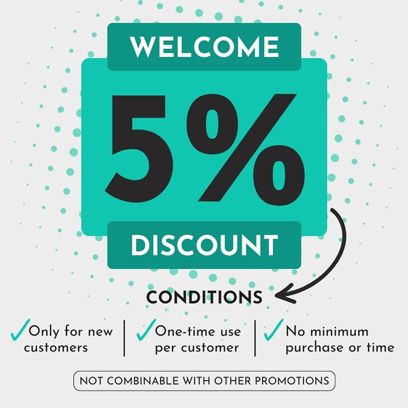
If you have a discount code from a promotion or a refund, you can redeem it during the checkout process:
- In your shopping cart, below the total, click on "Do you have a promotional code?"
- A form will appear where you can enter the code.
- If it's correct, you'll see a discount applied or shipping costs waived.
- Proceed to complete your order as usual.
The invoice is generated digitally and sent by email; you can also download it from your customer account.
Yes. You can request one by checking the corresponding box before confirming your order or by writing to info@farmaten.com if we haven't shipped your order yet.
In any case, you can download the invoice in PDF format from your customer account.